
Messages
INFO
For help, ask in #help on our Discord or open an issue on GitHub. Please add what you tried and what the setup page or docker logs wa-classic shows.
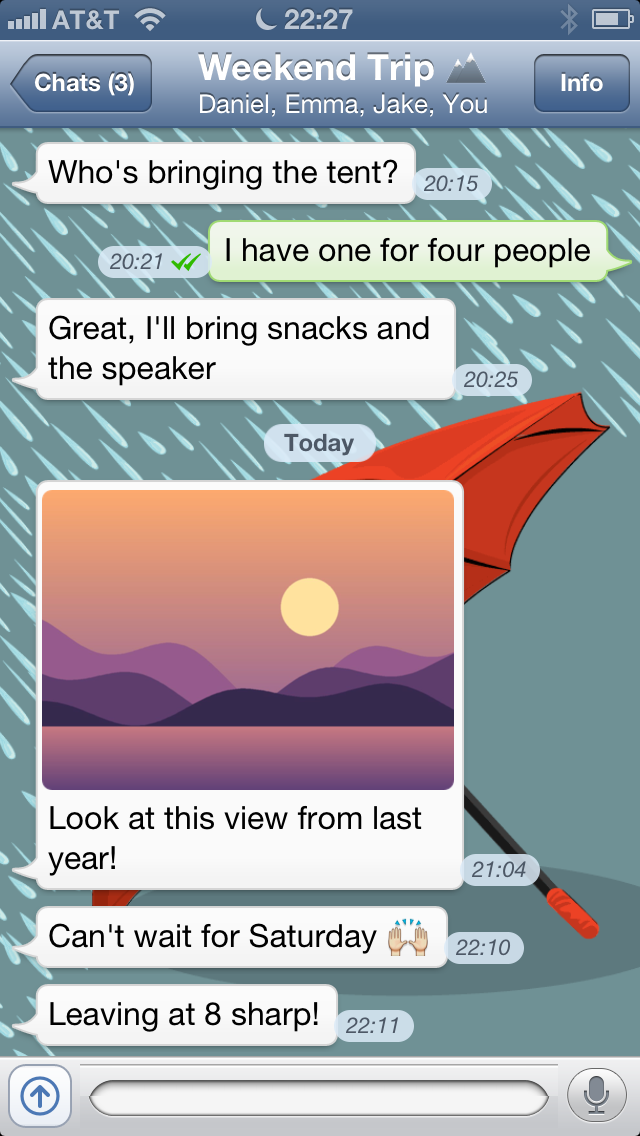
Sending text
Type in the field at the bottom and tap Send. Emoji come from the iPhone's Emoji keyboard. To turn it on, open the iPhone's Settings › General › Keyboard and add the Emoji keyboard.
The ticks
| Ticks | Meaning |
|---|---|
| clock | waiting to be sent, for example while the iPhone looks for the bridge |
| one tick | sent to WhatsApp |
| two ticks | delivered to the other phone |
Like WhatsApp 2.10, WA Classic has no blue ticks. The other person still sees when you read their message.
Photos and videos
- Tap the button left of the text field.
- Pick Take Photo or Video or Choose Existing.
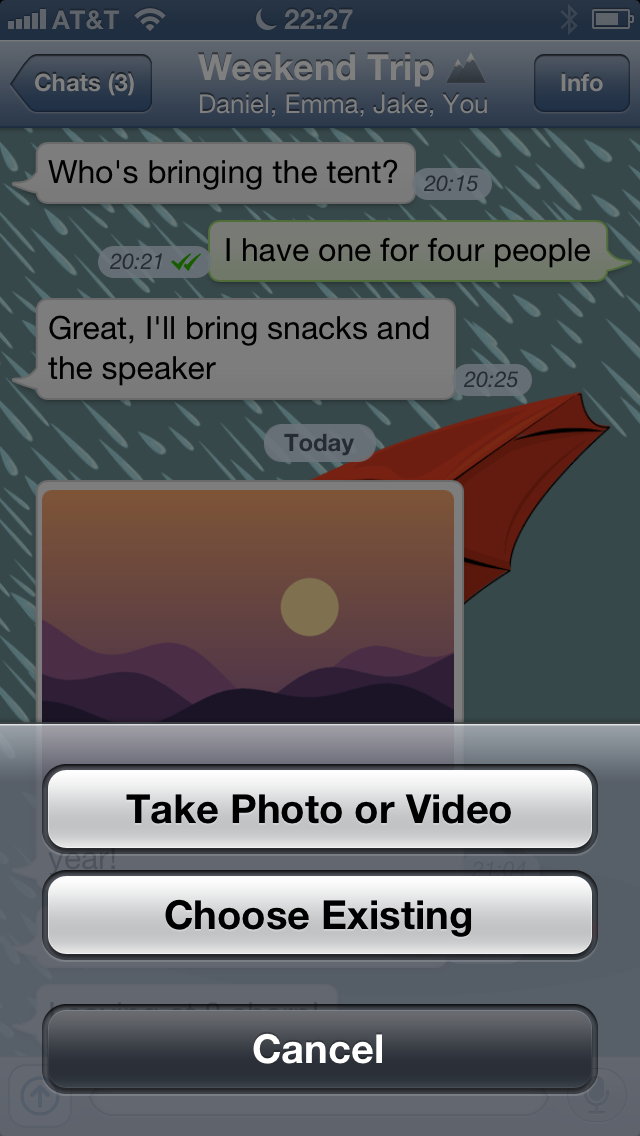
You can add several photos and videos one after another. They wait in a bar above the text field, and Send sends them all. Tap a photo in the chat to see it full screen and pinch to zoom. Tap a video to play it.
INFO
Videos are converted by the bridge so the old iPhone can play them. Long videos take a moment the first time.
Voice messages
Hold the microphone next to the text field and speak. Let go to send. To cancel, slide your finger to the left while holding.
Tap the play button on a voice message to listen to it.
Replying to a message
- Swipe a bubble to the right, or
- hold a bubble and tap Reply.
The message you reply to shows above the text field. Type your answer and tap Send.
Reactions
- Swipe a bubble to the left, or
- hold a bubble and tap React,
then pick an emoji. Tap your reaction under a bubble to see who reacted, or to remove yours.
Copying text
Hold a bubble and tap Copy.
Messages WA Classic can't show
Some kinds of messages can't be opened on the old iPhone. They show up with just a label:
| You see | What it is |
|---|---|
| Sticker | a white picture, stickers don't work |
| Document | a file, like a PDF. Open it on your phone. |
| Location | a shared place. Open it on your phone. |
| Contact | a shared contact card |
Polls, view once photos, events and some other new kinds don't show up at all. See Differences to WhatsApp.