
Installing with Cydia
INFO
For help, ask in #help on our Discord or open an issue on GitHub. Please add what you tried and what the setup page or docker logs wa-classic shows.
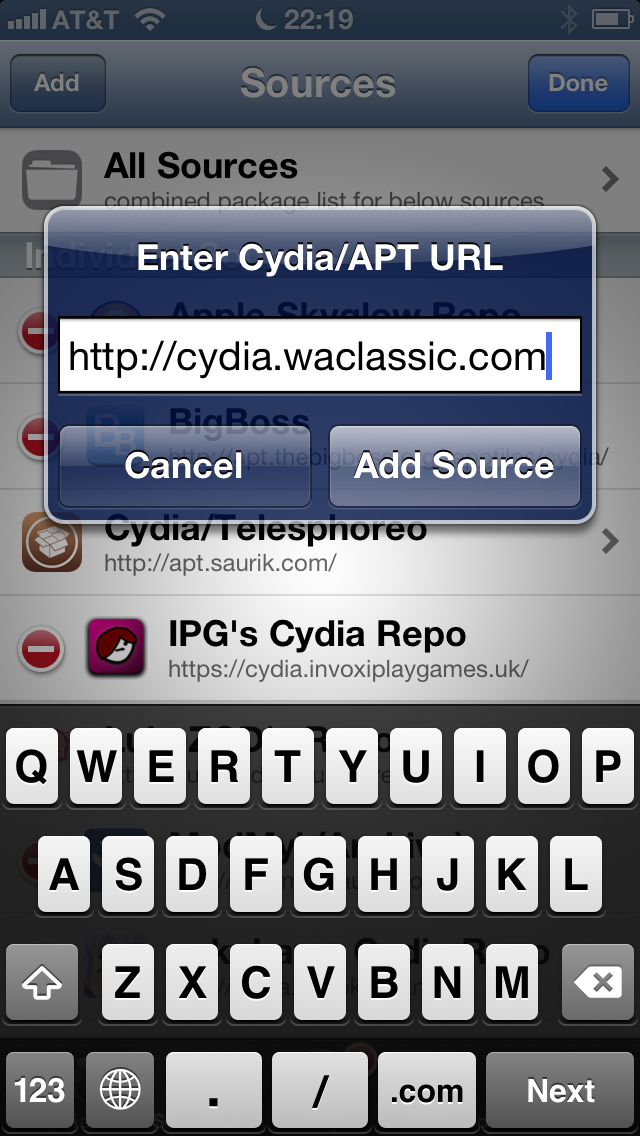
- On the iPhone, open Cydia and tap Sources › Edit › Add.
- Enter
http://cydia.waclassic.comand tap Add Source. - Open the new source, tap WA Classic and install it.
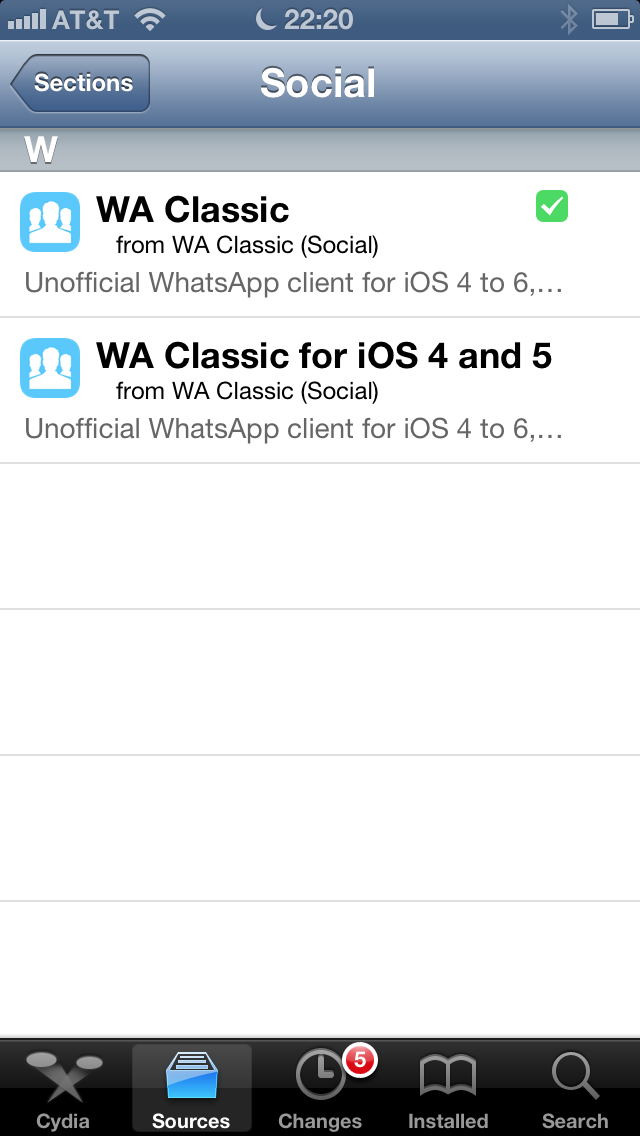
Cydia shows both packages, but only the one for your iOS installs: WA Classic for iOS 6, WA Classic for iOS 4 and 5 for older versions.
TIP
Type http://, not https://. Cydia on iOS 4 to 6 can't do today's secure connections, so the source is plain http on purpose.
INFO
No internet on the iPhone, or cydia.waclassic.com doesn't load? Your bridge is a source too: use the address from the setup page instead, like http://192.168.1.20:8097/repo/.
WARNING
After installing, respring if Cydia asks for it. Calls like a phone call only work after the respring.
INFO
Continue to Linking WhatsApp